
Product Marketing & Strategic Content Study
Repositioning Divi 5 Through Strategic Product Content
How I turned Divi 5's most complex features into content that actually teaches builders how to use them:
- Role: Product Content Marketer
- Company: Elegant Themes
- Duration: Divi 5 Launch Period (2024-2025)
- Scope: 50+ articles | 49,752+ page visits | 23.58% of entire Divi 5 content library
About Elegant Themes and the Perception Challenge
Elegant Themes is an established name in the WordPress ecosystem. For over a decade, their flagship product, Divi, has been used by hundreds of thousands of designers, agencies, and business owners to build WordPress websites without writing code.
Divi is a WordPress theme and a visual page builder with a massive community, an extensive marketplace of child themes and plugins, and a reputation for empowering non-developers to create professional websites.
But by 2023, that reputation had become a problem. Many people in the WordPress community saw it as slow, bloated, and outdated. Online discussions often painted Divi as a relic of the pre-Gutenberg era. Powerful, but not modern. Not fast. Not competitive with newer tools like Elementor and Bricks.
The solution? Divi 5, a complete rebuild. The team had rewritten the builder from the ground up with a new architecture designed to be faster, cleaner, and more flexible. Performance benchmarks showed dramatic speed improvements. The UI was modernized. The feature set expanded into genuinely sophisticated territory, rivalling dedicated layout tools.
Technically, Divi 5 is a leap forward. But perception doesn't update automatically just because the product does. That was the challenge I inherited when I joined the content team.
The Real Problem: Changing Minds Through Education
Launching a major product update is more than announcing new features. It's about reshaping how people think about the product, especially when years of assumptions have calcified into accepted truths.
The Divi 5 rollout presented four challenges:
1. The product was evolving faster than users could absorb it.
Every two weeks, a new feature launched. Some were minor UI improvements. Others, like the Design Variables and the Inspector, were paradigm shifts in how Divi worked. Users needed help understanding not just what was new, but why it mattered and how to use it.
2. Existing users needed onboarding, not just announcements.
Divi's long-time users were comfortable with the old way of working, so a feature announcement wasn't enough. They needed walkthroughs that respected their expertise while guiding them through genuinely new concepts. The content had to be educational and reassuring.
3. The perception problem extended beyond the product itself.
Outsiders didn't just think Divi was slow, and they thought Divi users were unsophisticated. So we weren't just marketing features; the team was repositioning the entire tool as modern, powerful, and capable of advanced design work. Every tutorial became a signal. This is what Divi 5 can do. This is what Divi users build now.
4. Content had to serve multiple audiences simultaneously.
Existing Divi users needed feature adoption, and potential switchers were asking whether Divi 5 was now competitive with Elementor or Bricks. The content had to work as competitive positioning, while also being more than just product documentation.
Where This Thinking Came From
Before Elegant Themes, I spent 16 months building a content engine for OnlineCourseHost.com. That project taught me something that shaped everything I did after. Start with the user, not the brief. At OCH, that meant monitoring a Facebook community for real questions and building content around actual user needs. The results were strong, but the work was content strategy. One product. One audience. One channel to dominate.
Elegant Themes was a different challenge entirely. Divi wasn't one product with one story. It was a complex tool with dozens of features and new ones launching every few weeks, each needing its own positioning, its own audience consideration, its own angle. I couldn't just find the right keyword and write a good article. I had to understand each feature deeply enough to figure out how a user would encounter it, what they'd compare it to, and what mental shift they'd need to make to adopt it.
The instinct was the same. Understand the user first. But the complexity forced me to go deeper. Instead of community questions, I was testing features in beta, studying how designers actually work, and researching the traditional methods users would compare Divi's approach to. That shift is where my content work became product marketing work.
My Approach: Product-Led Content Marketing
Features were assigned to me through my editor. Every couple of weeks, a new Divi 5 capability would launch and I'd be the one covering it. But how I covered each feature was where my approach diverged from typical content writing.
Before writing anything, I tested each feature in beta. I built actual layouts, pushed it until I understood its constraints, and figured out where users would hit friction. Then I turned that understanding into content that educated users, positioned Divi 5 as a modern and competitive option, and captured search visibility.
I developed a repeatable framework that turned a feature launch into a strategic content opportunity. Every piece I published was built on three core pillars:
- Feature-to-benefit translation
- Complete mental model building
- Real-world implementation patterns
I didn't develop this framework on day one. My first Divi 5 article needed to be rewritten twice. I was following the brief too literally, producing content that was technically accurate but didn't connect with users on any practical level. Over time, I figured out a process that worked. I'd test the feature myself, research how users currently solved the problem without it, identify the mental models they already had, and then build the content around bridging what they knew to what was new.
I also carried over a habit from my previous work, paying attention to the community. Divi has a large, active user base, and I regularly read blog comments to spot content angles and new ideas. When readers asked questions or flagged confusion, that fed directly into how I approached the next article.
1. Feature-to-Benefit Translation
Divi's users are designers, agency owners, and business owners building client sites under deadline. They don't care that Divi 5 introduced "hierarchical preset inheritance." They care that they can finally stop manually updating button colors across 50 pages.
So before writing anything, I'd test each feature by deliberately creating messy, inconsistent designs in beta, then seeing if the feature could actually fix them. That's how I figured out where the real value was.
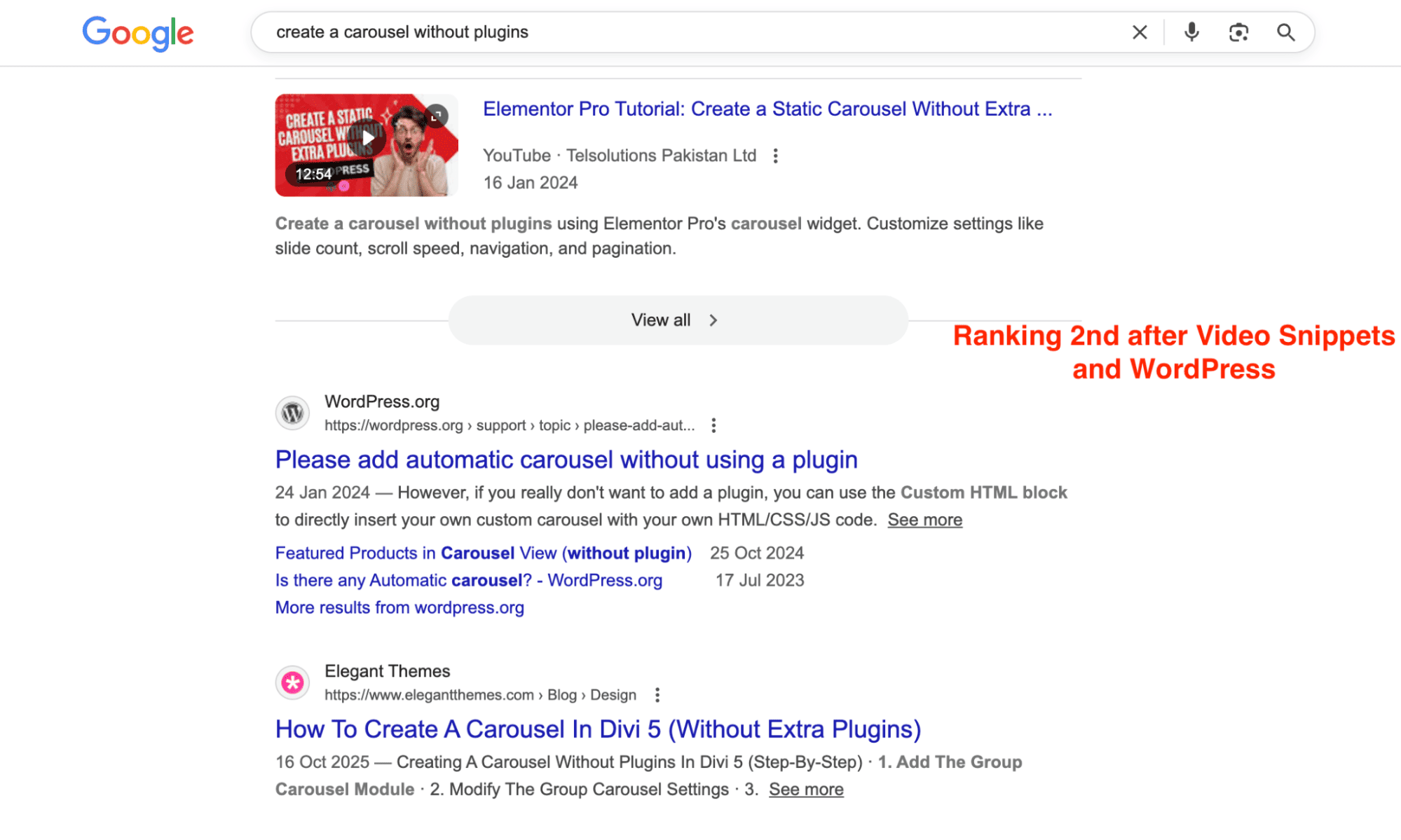
When the Group Carousel module launched, I didn't lead with "here's a new module." I led with the pain. "Using plugins to build your carousels? Slider plugins can be powerful, but every extra one you install brings more code to load and increases the chances of something breaking." Then I showed how the Carousel Builder addressed this by positioning it as flexible, built into Divi, with no extra plugins required.
The post ranked #2 for "create a carousel without plugins" right after WordPress.
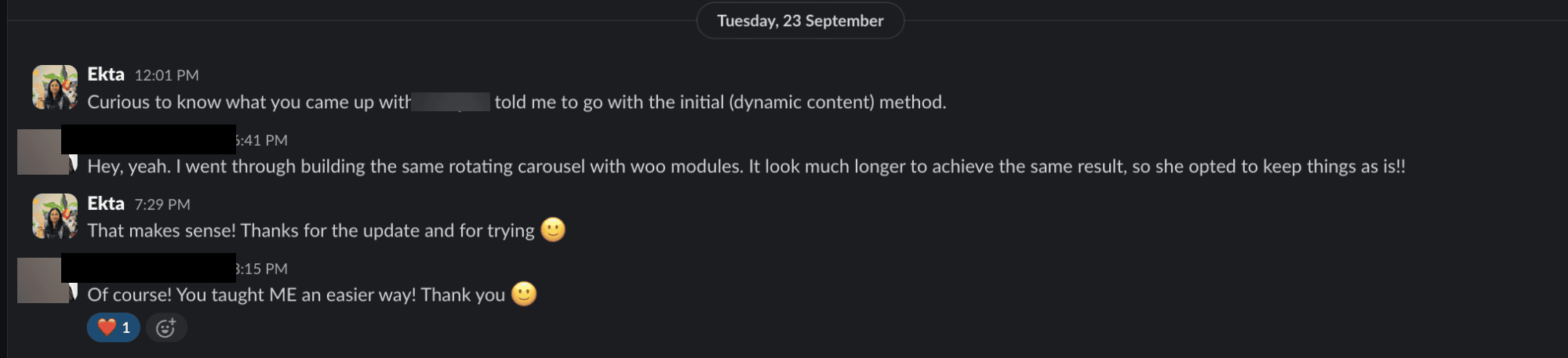
Another carousel post I wrote about building product showcases with the Loop Builder got this feedback from a team member (who's also a veteran web designer): "You taught me an easier way!" That's when I knew the approach was working. More than documenting features, I was solving actual workflow problems.
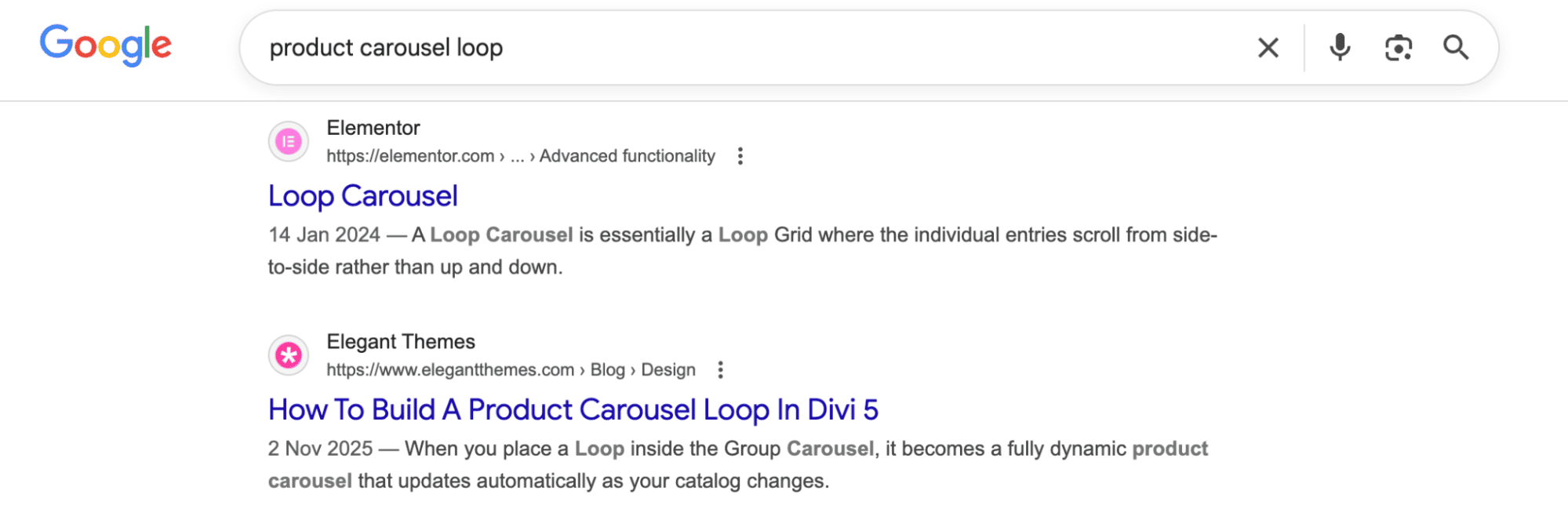
Ranking #2 after Elementor:
2. Complete Mental Model Building
Divi 5 introduced concepts that many users had never seen before, including CSS custom properties, cascading preset logic, and flexible layout systems. If I only showed them what buttons to click, they'd memorize the steps without understanding why. And the second something didn't work as expected, they'd be stuck.
So I structured tutorials to show the complete picture. I explained what the system is and why it works the way it does. What you see on the frontend, what's actually happening in the background, and why it works that way.
For the Design Framework post, I explained the visual workflow users see in the Variable Manager, then showed them what Divi was actually writing behind the scenes (CSS custom properties). I connected it to why that matters. They were building a real design system, the kind developers use, without writing a single line of code.
The post got picked up by Google Discover, which was great.

But what mattered more was that users actually understood what they were building.
3. Real-World Implementation Patterns
I mapped every feature to workflows that Divi users actually deal with. Building client sites for local businesses, managing agency design systems, rebranding existing sites, and creating reusable templates.
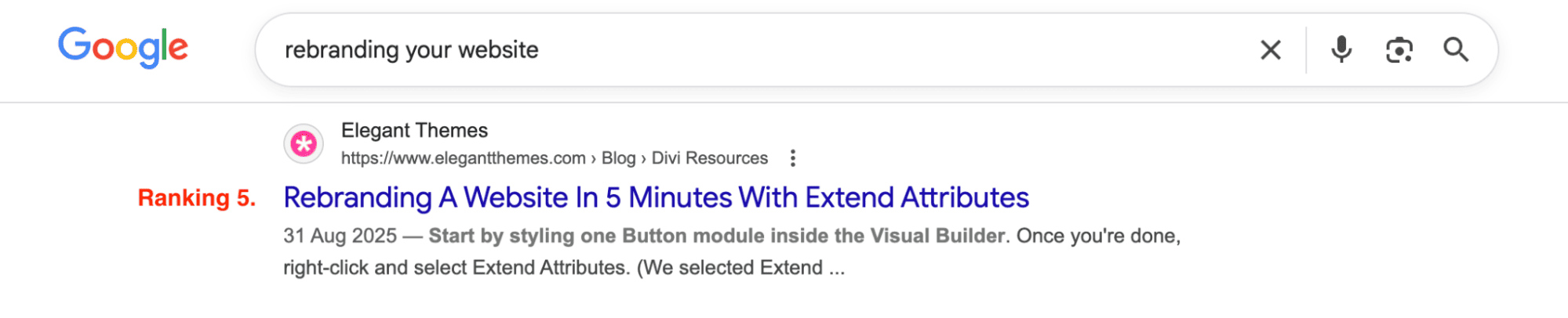
When I wrote about Extend Attributes, it was more than a new styling feature. I framed it as "rebrand an entire client site in 5 minutes without touching individual modules." That's the kind of thing agencies actually need to do, and it showed that Divi 5 gets it.
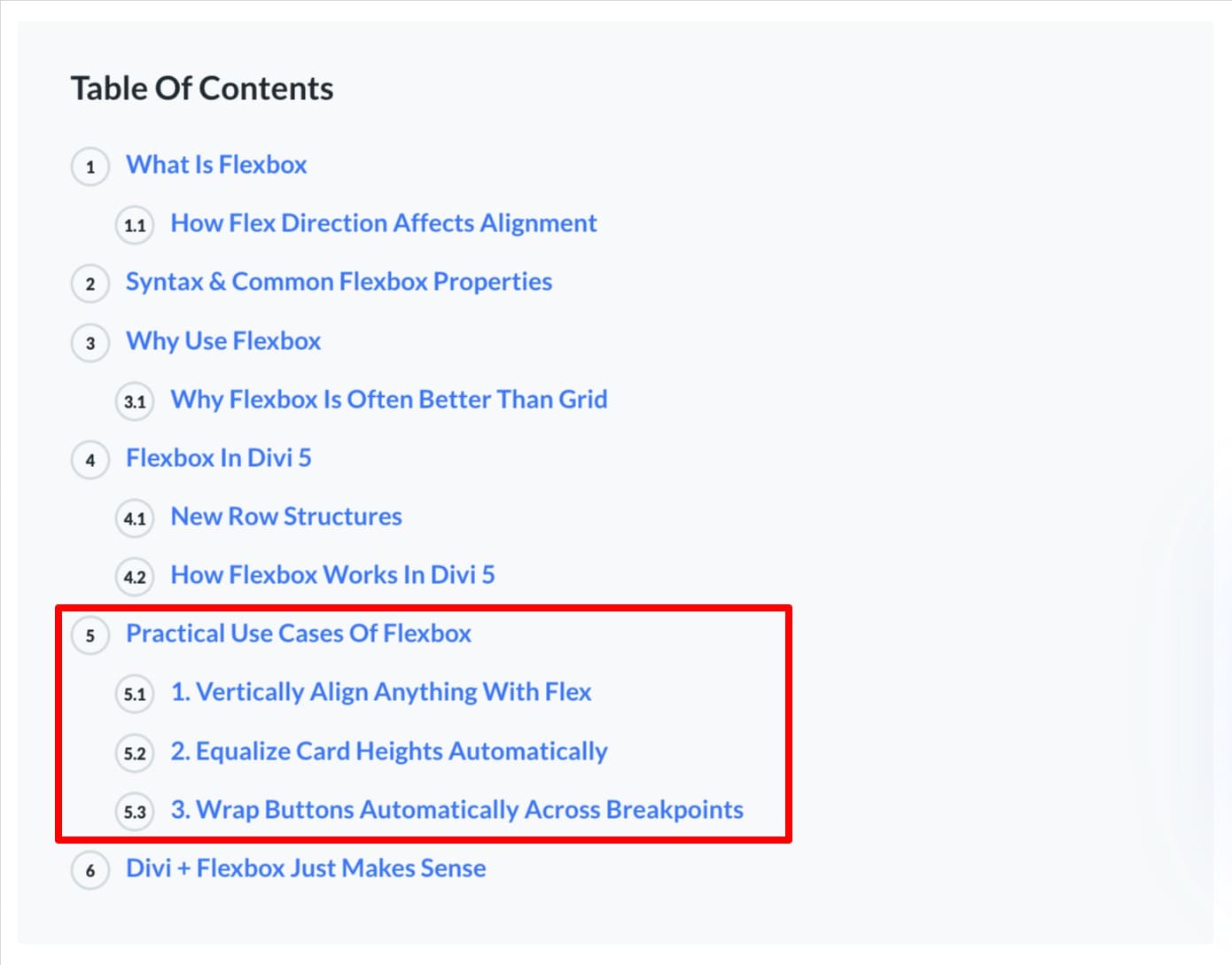
Even for a TOFU (educational) post like "What is Flexbox," I included practical use cases readers could try immediately.
These three pillars shaped every decision I made. Which features to prioritize, how to structure each post, what screenshots to include, how to frame the value proposition, and more.
Divi 5 Product-Article Deep Dives
This section walks through three specific articles that show how this framework actually played out.
Article Deep Dive #1: Building Your Design Framework With Divi 5
- Traffic: 4,380 visits
- Positioning: MoFU feature adoption content
- Key Result: Featured on Google Discover within days of publication
Design Variables, Option Group Presets, and Element Presets weren't flashy features. No dramatic UI changes, no viral-ready animations. On the surface, they appeared to be incremental improvements for organizing styles more efficiently.
But I saw what they actually represented. Divi 5 was giving visual builders access to the same design system architecture that developers use with CSS frameworks like Bootstrap. That was a major positioning opportunity.
Most Divi users had never worked with CSS custom properties or design tokens. If I just explained "here's how to save a color variable," they'd miss the strategic value entirely. They needed to understand why this mattered and why it made Divi competitive with code-first tools.
The Bootstrap Comparison
I opened the post by establishing common ground. "If you've ever worked with CSS frameworks like Bootstrap, you get why it's so popular."
This validated the concept for developers evaluating Divi. They immediately understood the parallel, then I set up the contrast. Traditional frameworks give you power, but they require writing CSS. Divi 5 gives you the same power visually.
I laid out the pain point clearly. "Although most frameworks rely on prewritten classes, they still expect you to write custom CSS for deeper customization, which makes them tricky for non-coders."
That one sentence reframed the conversation. I wasn't comparing Divi to other page builders anymore. I was comparing it to professional development workflows and positioning Divi as the more accessible option.
Building the Same Layout Twice
The heart of the post was a side-by-side comparison. I built the exact same contact page layout twice. Once manually in Bootstrap with code, and once visually in Divi 5.
The Bootstrap version showed manual CSS variable declarations like :root { --primary-color: #e91e63; }, hand-coded form structure using utility classes, and custom button styling combining Bootstrap classes with variables.
The Divi 5 version showed saving the same primary color visually in the Variable Manager, building the identical layout by clicking and styling modules, and creating Button presets that applied multiple styles in one click.
Then I revealed what was happening behind the scenes. I included a screenshot of Divi's frontend source code showing that it was generating the same CSS custom properties structure that Bootstrap uses, just visually instead of manually.
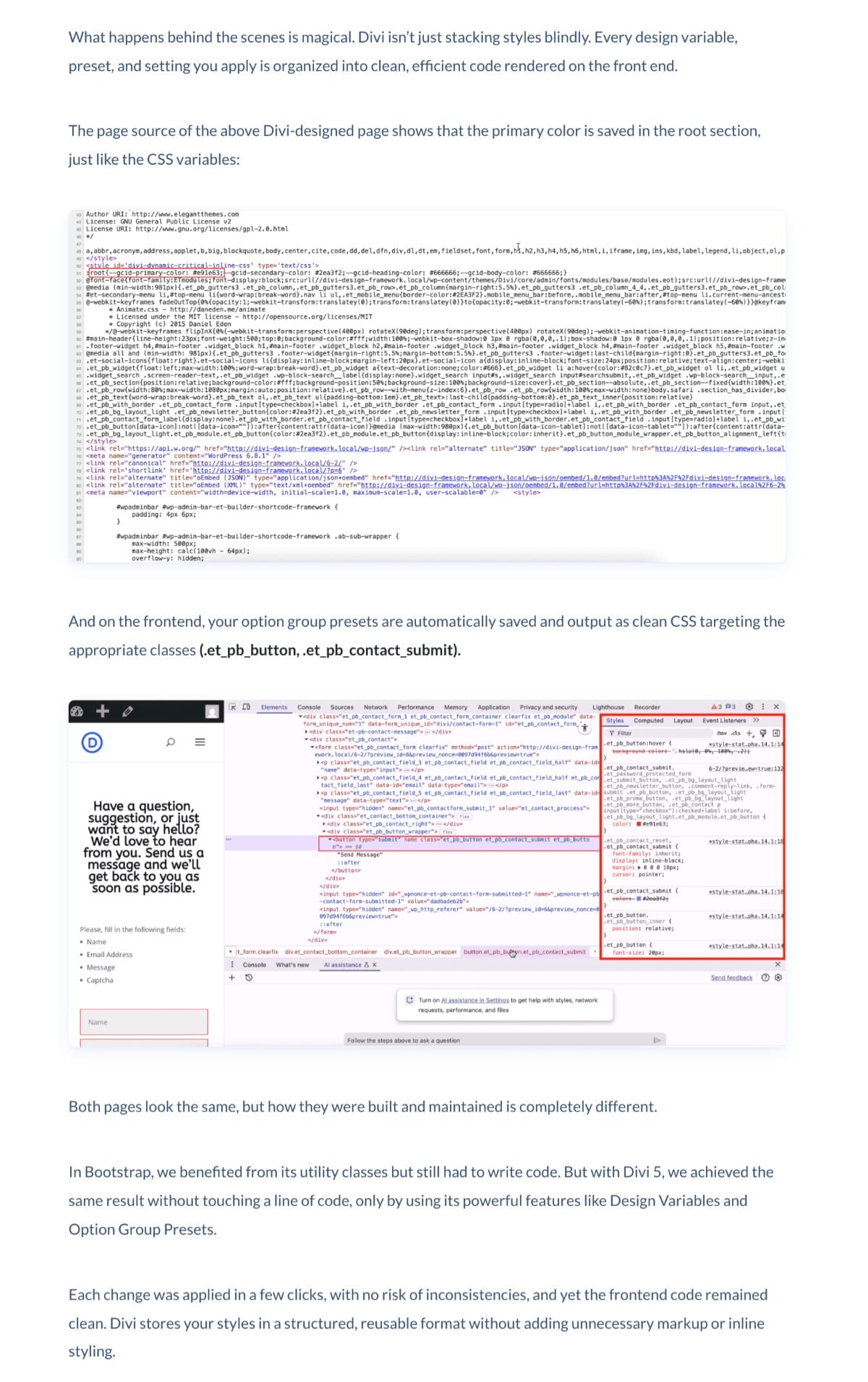
This approach showed users they weren't just using a "no-code tool." They were building real, professional-grade code. Divi handled the technical implementation while they focused on design decisions.
The Tutorial Structure
Design Framework, on its own, is a vast topic. If I went deep, it could easily become a 5,000+ word guide that overwhelms more than it helps. I made a deliberate choice. Show one color variable, one preset, and one additional application. Give the reader enough to understand the concept and build confidence, then point them toward building further on their own. The goal wasn't comprehensive documentation. It was getting the user to their first "aha" moment as quickly as possible.
I structured the tutorial as a four-step framework that mirrored how developers actually build design systems. Define Global Design Variables (colors, fonts, spacing). Save Recurring Content (text, links, images). Create Core Style Patterns (Option Group Presets). Build Reusable Components (Element Presets).
At every step, I included screenshots showing exactly where to click in the Variable Manager, HTML videos demonstrating real-time workflows like applying a preset and watching multiple modules update instantly, and detailed explanations of why this order matters. For example, "Once your core variables are set, every preset and page you build will rely on them."
The HTML videos were particularly effective because they showed speed and ease. Watching someone apply brand colors to an entire page in three clicks is far more convincing than reading "this saves time."
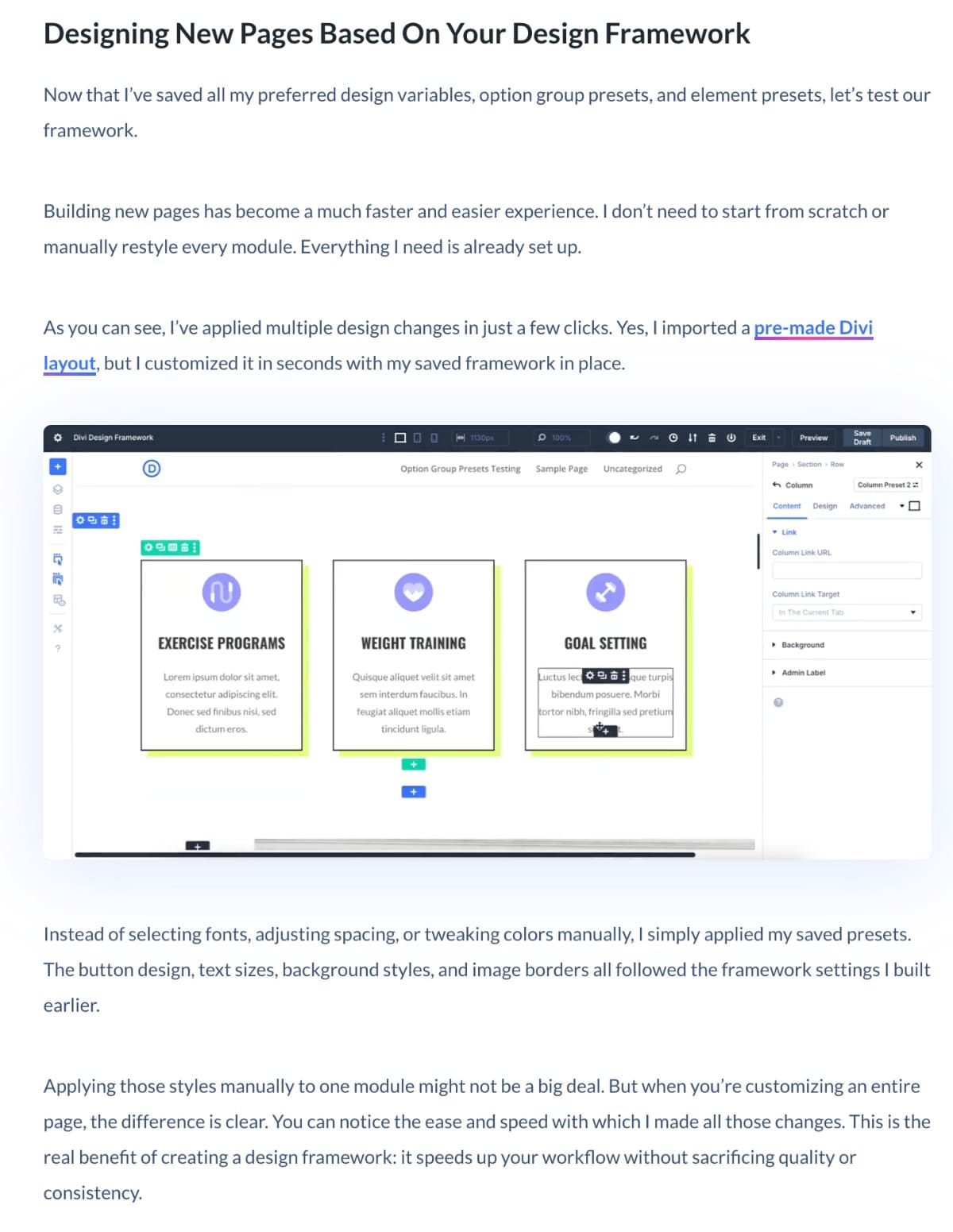
But the real proof of value wasn't in the written tutorial. It was in showing the outcome. I recorded a video demonstrating how, with just a few clicks using Design Variables, you could restyle an entire page. That's the moment a feature stops being abstract and becomes something the user wants. Written instructions explain how it works. The video shows why it matters. That distinction is the difference between documentation and product content.
The Results
The post was picked up by Google Discover almost immediately, bringing in 4,380 visits within the first few days. That kind of early traction doesn't happen by accident. It happens when content satisfies search intent and offers genuine value beyond what's already ranking.
By positioning Divi's visual system as equivalent to professional CSS frameworks, I gave the post competitive depth. It was more than "how to use Design Variables." It showed them "how Divi 5 gives you Bootstrap-level power without writing code."
The editor's feedback confirmed that the comparison strategy worked. "Your research is definitely shining through." I was repositioning Divi 5 as a serious tool for professional workflows.
More importantly, users understood what they were actually building. Instead of feeling like they were "just using a page builder," they saw themselves creating a scalable design system, the kind that agencies and developers rely on. That shift in perception was exactly what Divi 5 needed.
Article Deep Dive #2: What Is clamp() In CSS (And How To Use It)
- Traffic: 3,931 visits
- Positioning: ToFU educational content with product integration
- Strategic Goal: Capture broader CSS audience while positioning Divi as sophisticated
When Divi 5 launched Advanced Units, I identified a messaging problem. It wasn't really a single feature. It was a collection of CSS units bundled together, clamp(), calc(), vw, vh, and others. The feature release presented them together, which made sense from a product perspective. But from a content perspective, leading with clamp() (because it was the most powerful and relevant) would overshadow the other units entirely. Users would walk away thinking Advanced Units = clamp() and miss everything else.
We also couldn't write one massive guide covering everything because that would be overwhelming and impossible to target for search. So I created individual educational guides for each function that stood on their own as valuable CSS resources while positioning Divi as the tool that makes them accessible without code.
My editor assigned me the topics, but the messaging and framing decisions were mine. I needed to find a way to give clamp() the depth it deserved while making sure users understood it was part of a broader toolkit.
Teaching CSS First, Divi Second
The decision to teach CSS first and position Divi second was completely my call. And it came from a simple realization: I was the reader. I use Divi, but I didn't understand clamp() as a CSS concept. If I couldn't understand it, my audience couldn't either.
So I did what I'd want as a reader. I learned clamp() as CSS first. Understood what it does, why it exists, what problems it solves. And only then did I write about how Divi implements it. The article follows that exact learning journey.
This wasn't a guess. Earlier articles where I'd led with Divi's implementation before establishing the underlying concept didn't perform as well. If a post leads with product promotion without giving the reader a strong problem and solution first, they don't stay. I'd tested this the hard way.
The clamp() post was deliberately structured as a ToFU play. I wasn't writing for existing Divi users. I was writing for designers and developers searching to understand what clamp() actually does.
I opened with the problem everyone faces. "If you've ever tried making your site look good on both phones and giant monitors, you've seen how spacing breaks, fonts shrink drastically or scale excessively, and elements either overwhelm or disappear."
Then I explained the concept clearly. "clamp() is a CSS function that simplifies setting sizes. Instead of defining multiple values at fixed breakpoints, it lets you set a minimum, a preferred, and a maximum so your elements scale fluidly."
I walked through the syntax (font-size: clamp(40px, 7vw, 100px)) and explained each part. I included a visual comparison showing how clamp() creates smooth scaling versus the abrupt jumps of media query breakpoints.
Only after readers fully understood the concept did I introduce the Divi angle. "The clamp() function in CSS is incredibly useful, but only if you're comfortable writing code. Would you like to build fluid layouts using clamp() but without writing code? If so, Divi 5's Advanced Units can help."
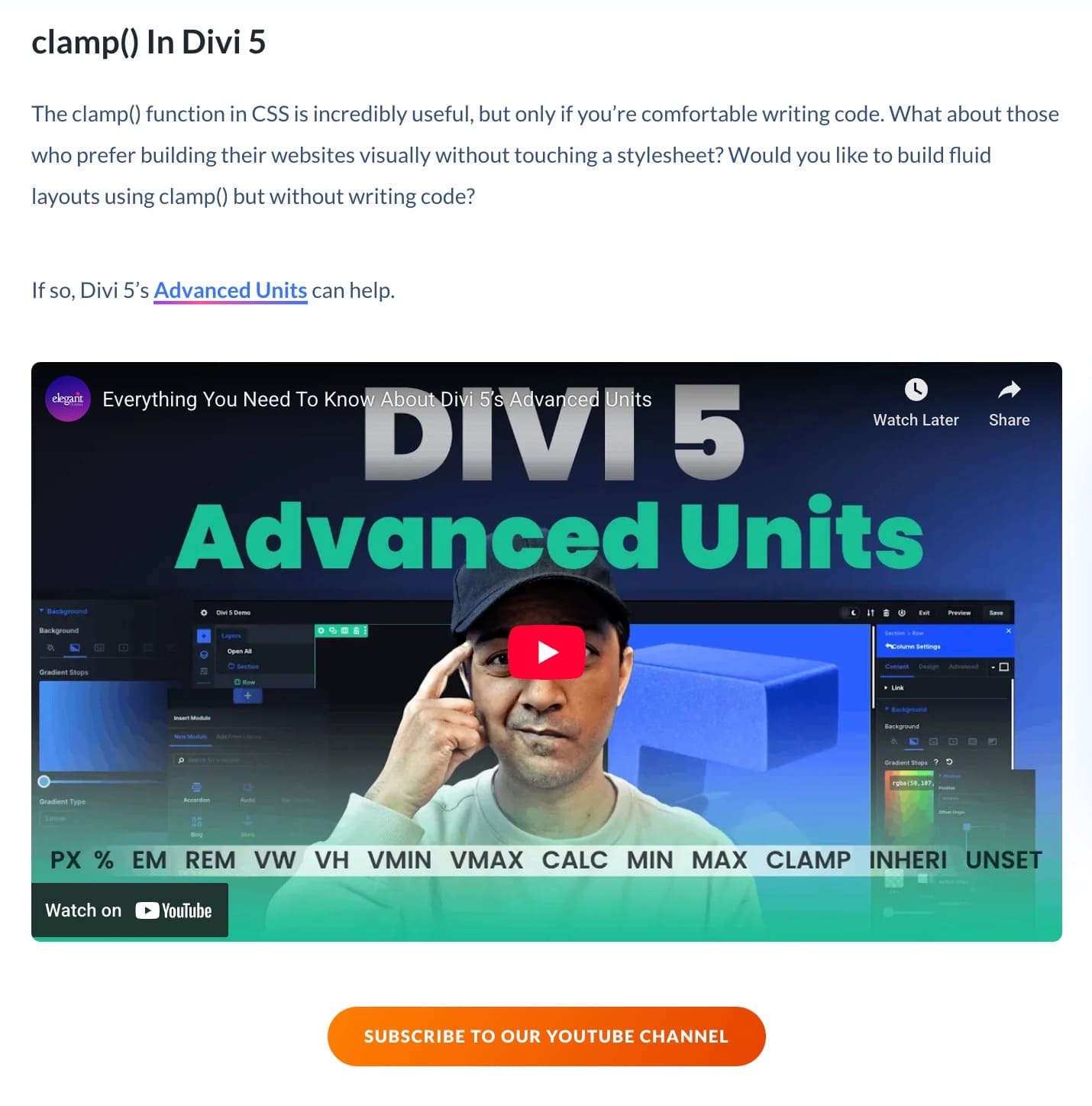
I used 'code vs. visual' as education for beginners. Showing them that understanding clamp() doesn't require being a developer because Divi makes it accessible through visual controls.
The Integration Angle
I explicitly called out that clamp() alone isn't revolutionary. "What makes clamp() truly powerful inside Divi is not just the function itself. It's what it works with."
Then I showed how clamp() integrates with Divi's broader design system.
I demonstrated saving responsive typography scales (H1 through H6) as clamp() values inside the Variable Manager. This turned clamp() from "a useful CSS function" into "the foundation of a scalable typography system."
Once saved as variables, updating one value updates every instance across the site. That's when clamp() becomes a system, not just a technique.
I also showed how to nest calc() inside clamp() for even more precise control. This added a layer of sophistication that developers would recognize while keeping it visually accessible.
This integration section helped designers and existing Divi users imagine possibilities they couldn't achieve before. I showed how this feature unlocks entirely new design workflows.
I included five concrete use cases that readers could immediately apply.
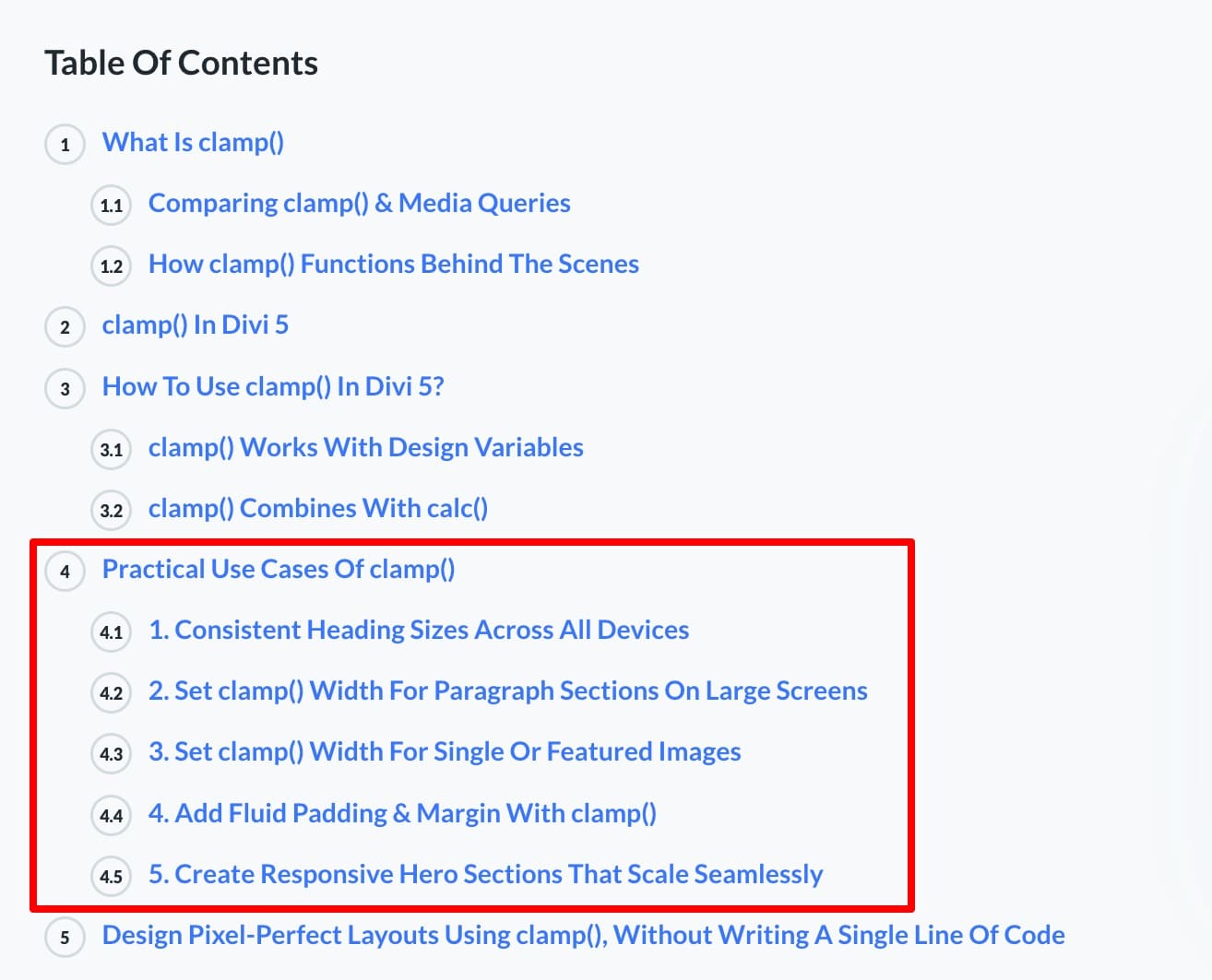
For each use case, I showed the clamp() values and demonstrated how they solved real design problems. These are not hypothetical scenarios, but frustrations every designer has faced.
Part of a Bigger Strategy
The clamp() post wasn't isolated. It was part of a coordinated content strategy around Advanced Units. Alongside it, I created "What Is calc() In CSS," "Understanding CSS Units in Divi 5," and "Understanding CSS Variables."
Each post followed the same pattern, generating over 1,000 visits each.
- Explain the CSS concept clearly.
- Show practical use cases.
- Demonstrate Divi's visual implementation.
- Position Divi as making advanced techniques accessible.
Together, these posts established Divi as a builder that understands modern CSS and makes it usable for people at every skill level.
The Results
The post brought in 3,931 visits, but more importantly, it reached an audience beyond the Divi ecosystem. People searching "what is clamp CSS" aren't looking for product tutorials. They're looking for education.
By providing genuine value as a CSS resource first, the post earned trust. Readers learned the concept thoroughly, saw practical applications, and then discovered that Divi could implement it all visually.
The reader feedback confirmed this. "Really comprehensive and well-explained tutorial!" This came from someone learning clamp() itself, not specifically looking for Divi content. That's exactly what ToFU content should do. Add value first, position the product as the natural solution second.
For existing Divi users, the integration section became the real value. Showing how clamp() worked with Design Variables and calc() helped them reimagine their design systems entirely.
Article Deep Dive #3: 6 New Image Gallery Structures Built With Divi 5's Nested Rows
- Traffic: 4,621 visits (highest-performing post)
- Positioning: BoFU tutorial with downloadable freebie
- Strategic Goal: Drive feature adoption through hands-on experimentation
Nested Rows was one of Divi 5's structural innovations, but explaining "hierarchical layout nesting" doesn't help users understand when or why to use it. The concept needed to be experienced, not just explained.
The team suggested creating downloadable freebies to drive engagement. That was the brief. But when I started building the gallery layouts, I saw an opportunity to do more than just provide templates. Each gallery became a way to surface Divi features that users rarely talked about. One gallery highlighted z-index control. Another used fixed positioning. Another demonstrated sticky scroll behavior. The galleries weren't just freebies. They were a feature discovery mechanism disguised as downloadable content.
Each gallery was a proof-of-concept showing what Nested Rows enabled. Users could see the diversity of structures possible, not just one rigid implementation.
I structured the post to give users multiple entry points. A visual gallery showcase showing all six structures upfront. Feature callouts highlighting the Divi capability each structure demonstrated. Download and import instructions making it immediately actionable.
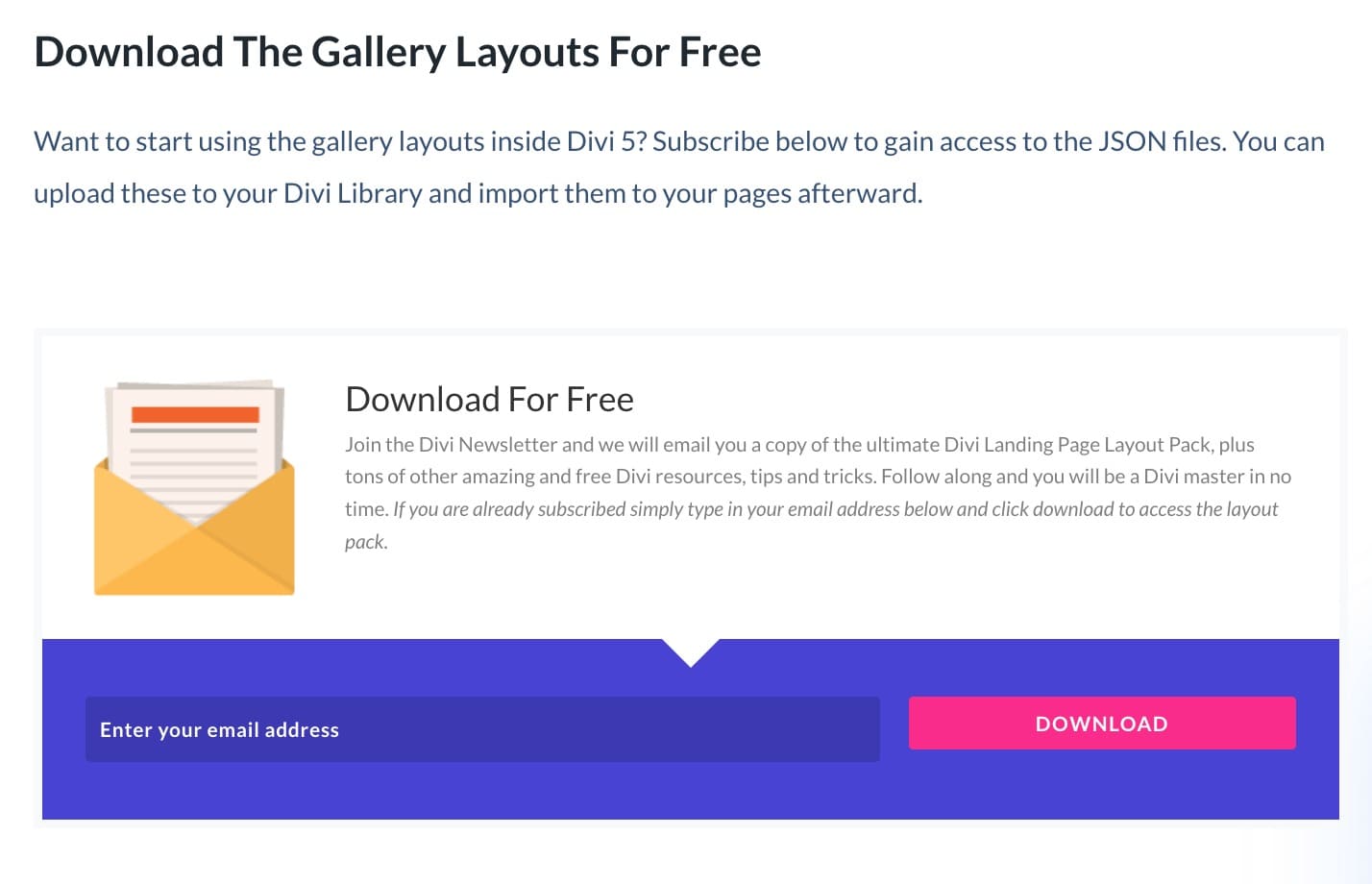
The downloadable layouts turned the post into a playground. Readers imported, explored, and tested their knowledge. Plus, I deliberately included a top tips section that listed other Divi features to give them more ideas to try.
The freebie did the heavy lifting. Instead of explaining "Nested Rows let you control spacing at multiple levels," I showed a gallery where adjusting one gutter setting affected the entire grid, and users could download it to test themselves.
With 4,621 visits, this became one of the highest-traffic posts in the case study. But the strategic value wasn't just the downloads. It was feature adoption. By showcasing multiple Divi capabilities within one structural concept, the post encouraged experimentation. Users imported a gallery, saw scroll reveal in action, adjusted border widths, played with spacing, and in the process, learned how Nested Rows actually worked.
The editor's feedback confirmed the approach was working. "Great job on the mouse movements post, the progress in Divi 5 content is really starting to show!" The post became an invitation to explore Divi 5's capabilities through real, usable layouts.
Not every format I developed transferred across features. The video demonstration approach from the Design Framework post, which showed how a feature makes the work easier in real time, worked because the outcome was visually striking. Restyling an entire page in a few clicks is immediately convincing. When I tried applying the same approach to other Divi 5 posts, the features had less dramatic visual impact, and I don't think I framed the demonstrations as effectively. That taught me to match the proof format to the feature, not just repeat what worked before.
Results: Quantitative Impact + Strategic Validation
Over the course of the Divi 5 launch period, my content became a foundational part of how users discovered, understood, and adopted the new platform.
Quantitative Performance
Content Ownership:
- 50 articles authored across the Divi 5 launch period
- 23.58% of the entire Divi 5 content library — nearly one-quarter of all educational content for the product
Traffic Performance:
- 49,752 total page visits across all posts
- Average of 995 visits per article
- Top 3 posts combined: 12,932 visits (26% of total traffic from just 6% of content)
Search Visibility:
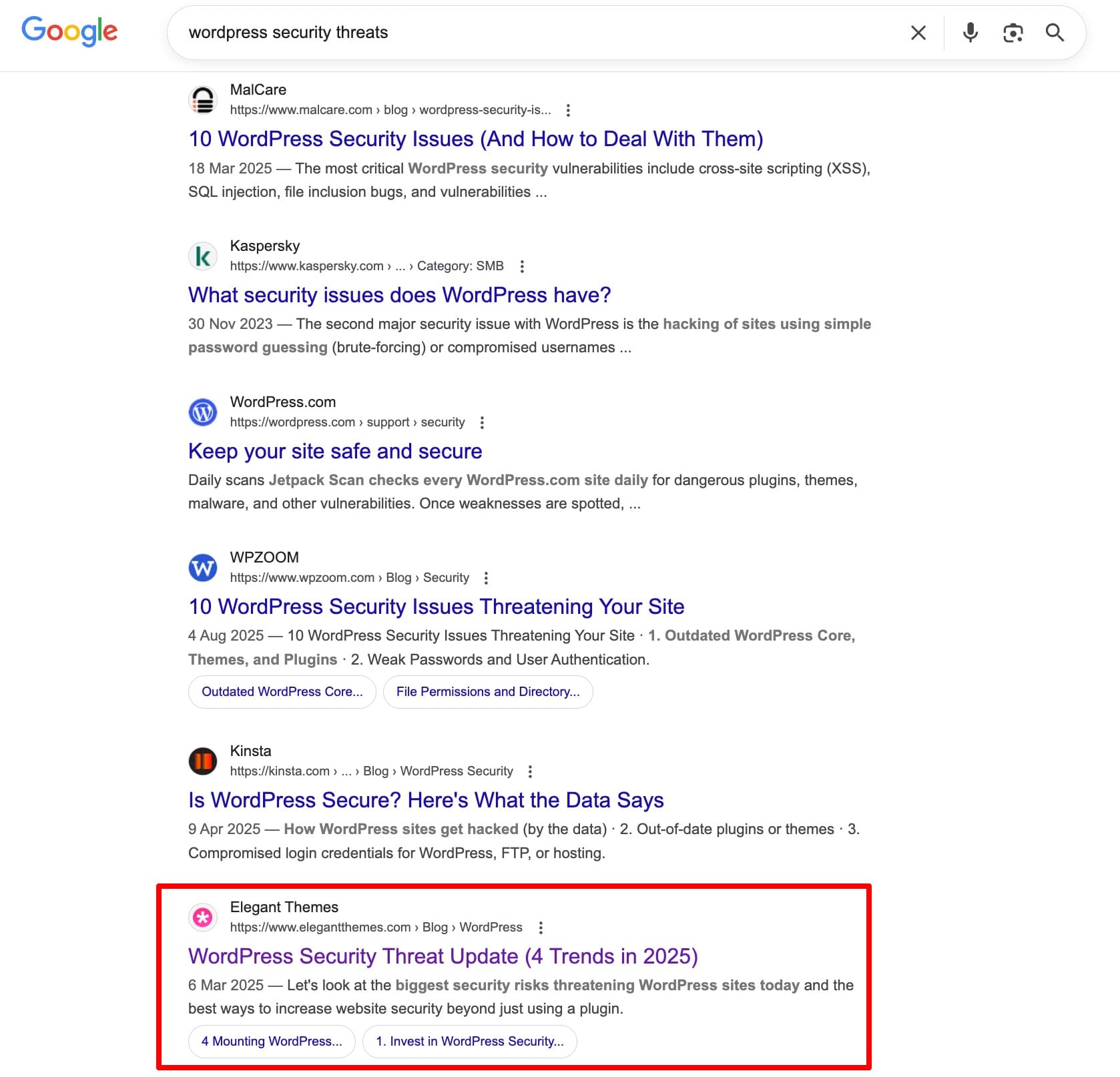
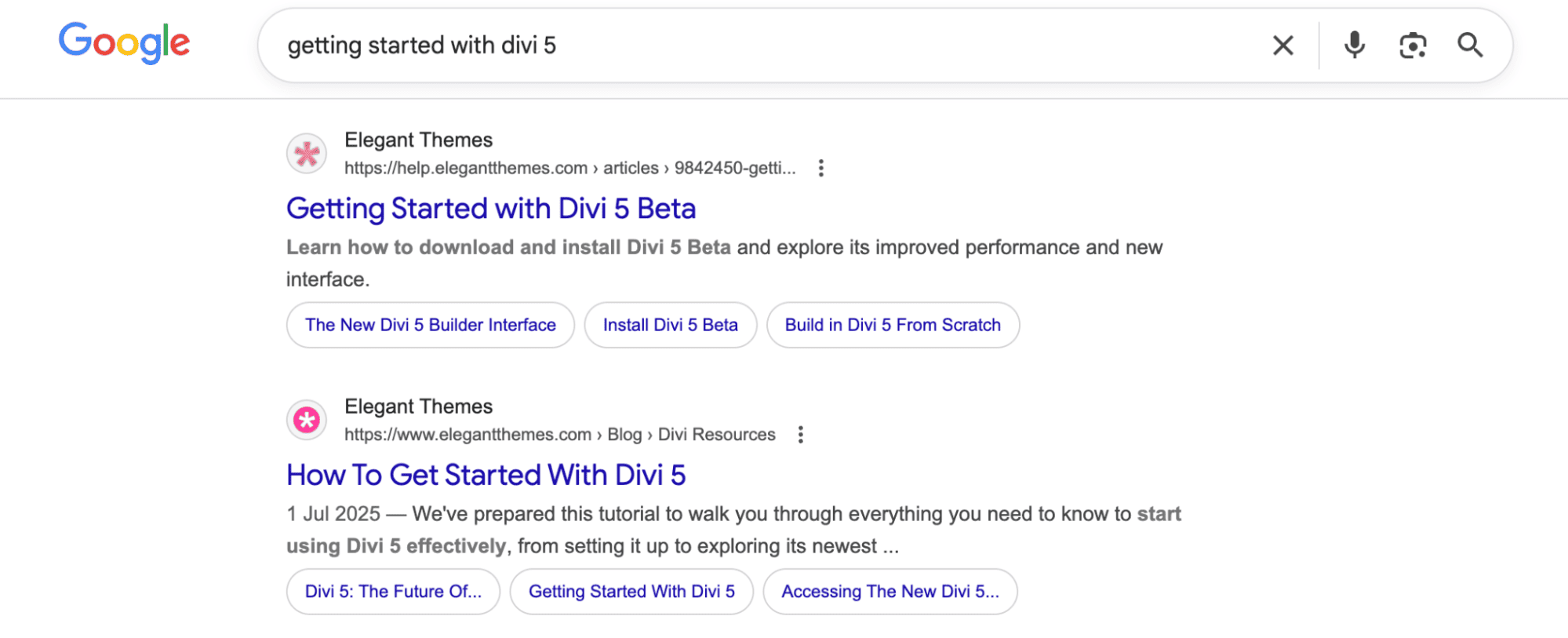
Multiple #1 rankings for competitive queries:
"WordPress security threats"
"Product carousel loop" (position #2, after Elementor)
"Getting started with Divi 5"
"Rebranding your website"
AI Overview placements for competitive comparison queries like "Wix vs Divi AI"
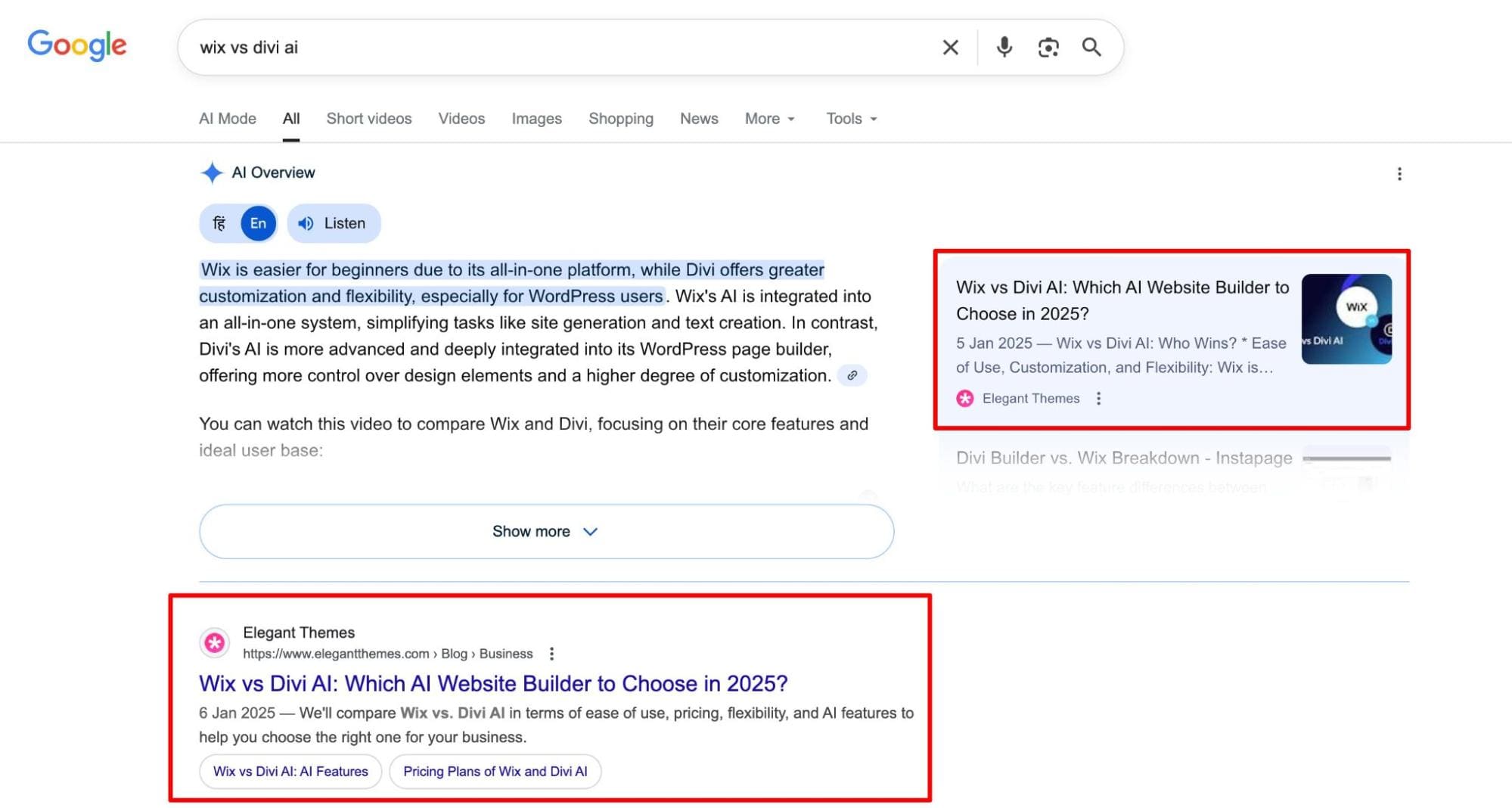
Competitive Positioning: Posts consistently ranked alongside or above established competitors (Elementor, Wix, WordPress.org) for product-related and technical queries, signaling that Divi 5 content was competitive in both quality and discoverability.
Qualitative Validation
Internal Team Recognition
The strategic approach earned consistent feedback from editorial and product teams:
Editor:


Colleague, Web Design:


Colleague, Web Design:
Reader Impact


Key Insights: What Made This Product-Led Content Marketing
The difference between my approach and typical tutorial production:
- I tested features in beta to understand constraints and user friction firsthand, not just read product briefs
- I translated technical architecture into user benefits, turning "hierarchical preset inheritance" into "stop updating 50 buttons manually"
- I built complete mental models by showing frontend experience, backend reality, and why it matters so users could troubleshoot independently
- I positioned Divi against professional development tools like Bootstrap and CSS frameworks, not just competing page builders
- I created adoption-focused content that functioned as onboarding material, reducing support friction and accelerating feature usage
Most content marketers optimize for traffic. Product-led content strategist optimize for adoption. Since traffic is a signal that the positioning worked (and not the goal in itself), the ET team already treated content as a product education layer rather than a blog publishing function. That philosophy aligned with how I wanted to work. Through 50+ articles, I helped users see Divi 5 for what it had become. A modern, sophisticated design system. One tutorial at a time.
At OnlineCourseHost.com, I learned to start with the user. At Elegant Themes, I learned what that looks like when the product is complex.
Every feature I covered required a different angle. A different comparison. A different way of helping the reader bridge what they already knew to what was new. There was no template I could repeat. The Bootstrap analogy worked for Design Framework because designers already thought in grid systems. Teaching CSS first worked for clamp() because users needed the concept before the tool. Downloadable galleries worked for nested rows because designers learn by building, not reading.
That's the skill I built here. Figuring out how a specific user thinks about a specific feature, and creating content that meets them where they are. Not every approach worked. The ones that didn't taught me as much as the ones that did.
I didn't have a product marketing title at Elegant Themes. I had a content role. But the work I did was product marketing work. Competitive positioning, feature adoption strategy, user mental model mapping, and content that helped people change how they thought about a tool they'd used for years. That's what I bring to the table.
Work With Me
I'm currently looking for an in-house role at a B2B SaaS company where I can do more of this kind of work. Content that's built on real product understanding, not just briefs. I'm interested in product marketing and senior content marketing roles that involve product depth. I'm also open to freelance and consulting work for SaaS teams that want product-focused content strategy.
If that sounds relevant, connect with me on LinkedIn or reach out at [email protected].
For my earlier content strategy and team leadership work, see my OnlineCourseHost.com case study.